
How many times have you felt frustrated when you have to change a single element, say the contact number on your website header, across all the pages on your website? Are there certain elements in the footer that you wish should be there in specific pages of the website? Sometimes adding the same elements across multiple webpages could be very time consuming and frustrating, as it involves doing the same things again and again on individual pages.
So, if you want to add the same full width page title, footer, advertising banner, call-to-action, testimonial section, or more on multiple pages, you could turn them into global modules so that they could be used on your desired pages as many number of times as you would wish.
What is a Global Module?
Global modules are groups or set of modules that could be used multiple times throughout a website. When a particular module turns into a global item, it is stored in the Hubspot COS library as a special item.
Benefits of Global Modules
- It saves time.
- In Hubspot COS, you could simply select all the modules that you want to make global. COS provides the most convenient process to create global modules.
- With the click of a button you could insert the global module to any page on the website.
- If there are some changes in certain element within the global module, developers could edit them for once and all the changes will take effect across all the pages where the global module has been implemented.
- It brings consistency throughout the website.
- Almost all the elements of website designing could be brought into a global module.
If you are worried about consistency across your website, global modules will ensure that your website looks consistent on every page.
The most important elements that you could include in global module
Logo: You definitely want to ensure that your brand is visible across all the pages and that your visitors know that whatever they are consuming from the website is given by your brand. This is the most important element in terms of brand awareness that could be inserted into your global module.
Header: There are multiple elements that go into the header of your website, including site navigation and it becomes tedious to include the same thing repetitively across all the webpages. Thus, having a global module with the header section could save time and efforts.
Image Slider: If there is a new product arrival or some special discounts or other offers that you want to highlight on important pages of your website, you could group it with other elements of the website to insert them with minimal effort.
Form: If you would like to have the same form appear across multiple pages to trigger your lead generation goals, simply include them in the global module so that they could be entered at your desired pages.
Footer: Just like the header, footer has certain elements that have to be omnipresent, making it an inevitable element inside your global module.
Social Sharing: There might be important pages on your website that you may like the visitors to share. Thus, having social sharing buttons is inevitable, and so it becomes one more important element inside a global module.
Calls-to-action: This could be useful if you have a special offer that you want to advertise on a few pages. To create the call to action, edit any page and add a standard section. You can either use the ‘call to action’ module or add a text module and then a button module.
In addition to these, there are more elements that could be included into your global module. It depends on which specific elements are important in terms of user experience and your online marketing goals.
How could you create a global module on Hubspot COS?
Now you must be wondering, how to create the global module with the Hubspot COS? Here are the quick steps that will enable you to create quick global modules.
- First, you will need to enter template builder where you could either create a new template or modify an existing template. In this example, we will consider bringing together, logo, image slider and header into a global module.
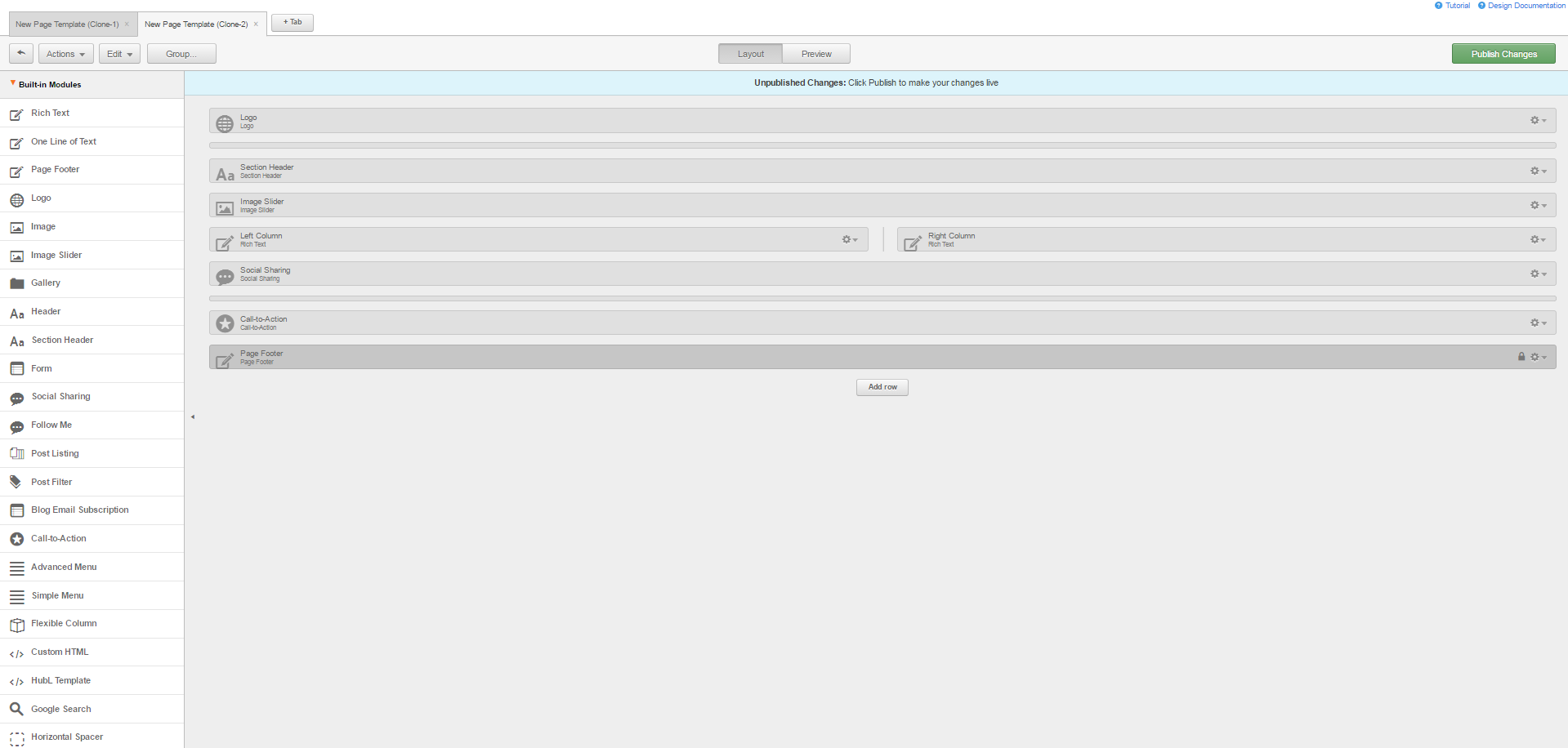
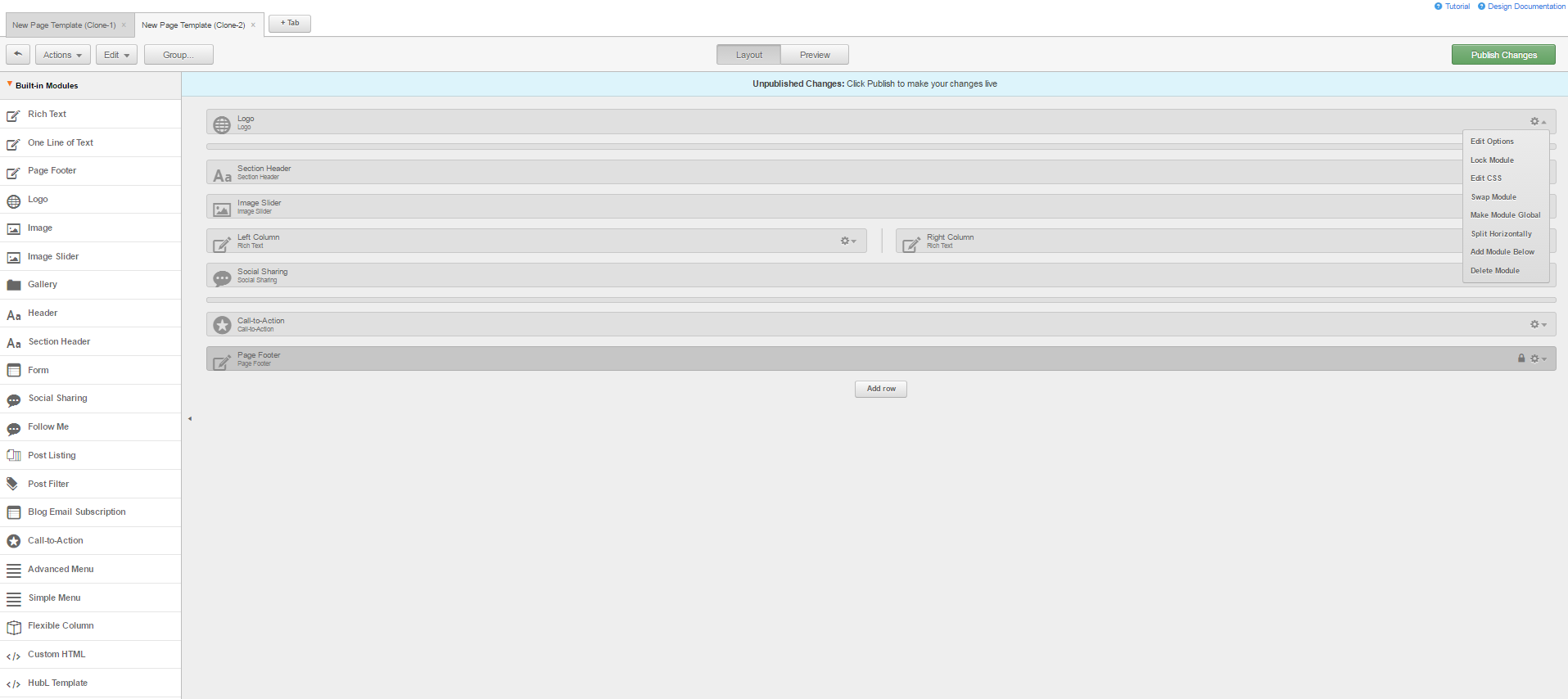
- Select the drop down menu for the “Logo” module where you will find the “Make Module Global” option.

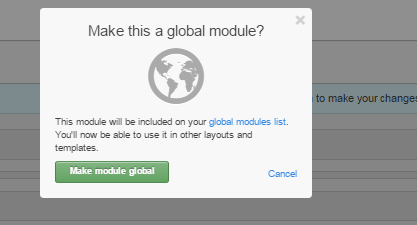
- Once you click on the “Make Module Global” option, you will be prompted if you want to go ahead and make the module global to use it on other templates and layouts.
- Click on the “Make Module Global” green-colored button.
- The next step involved naming the global module in which you will enter other modules.
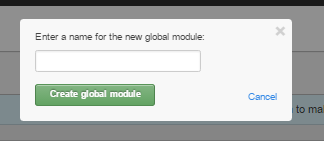
- This will create a global module.
Conclusion
Global module is a smart option to ensure that you don’t have to develop the same elements that are to be used in multiple pages. In addition to that, it saves time, increases efficiency and ensures that you don’t miss on certain elements that could be the game-changer in your marketing efforts.